Sunday, March 24, 2013

App for Educators

Apps for phones and computers whether desktop, laptop or tablet are those mini programs that provide the user with the best experience based on their needs. Although there are so many recommendations for apps for educators out there, I am amazed at how few are used. 

Twitter

The best example of the app, for everyone who knows, out there. Twitter feeds teachers and educators with everything they need to know. 

My own twitter feed can be found at @mcdermottrich

At a simple level teacehrs just need to search a few hashtags which include:
#edchat, #ukedchat or #education. These will provide a whole new world to teachers out there. 

Friday, March 22, 2013

Educational Blog Recommendation

Blogs are hard to keep up to date with. Here are my recommendations of educational blogs worth reading.

Harvard Business Review 

Business based magazine and blog articles that are as relevant to the management and leadership of schools as they are to the business world they are aimed at. Keeping employees happy or ensuring that communication is honest and efficient are principles that apply to both worlds. Articles aren't overly wrong and I find the titles help me to identify the ones most relevant to me. Intelligently written without getting into hyperbole and technicalities.

The principle that people fall into the two categories of giving and taking and that boundaries have to be drawn to create a balance in employees.  

Wednesday, December 26, 2012

Essential Books for Primary/Elementary School

Over the last ten years or so I have become aware of how the fashions and fads that are new initiatives have diluted many strong traditional aspects of schooling. Going back further and the classroom was alive and rich in the depth of study through the use of class readers. This was the place of some of the very best cross curricular work. Texts used year after year led to revised effective programs that taught good literacy skills whilst allowing grammar to be taught in a context. To this end, my thoughts have turned regularly to what kind of books I would like to see embedded across a school and its curriculum.

A selection of Roald Dahl books from/including: The Fantastic Mr Fox, BFG, James and The Giant Peach, Charlie and The Chocolate Factory, The Twits, Matilda, The Witches, The Magic Finger...

Beowulf - there are so many different versions but this one by Brian Pattern is accessible for children as young as seven.


Clockwork by Philip Pullman
Jabberwocky by CS Lewis
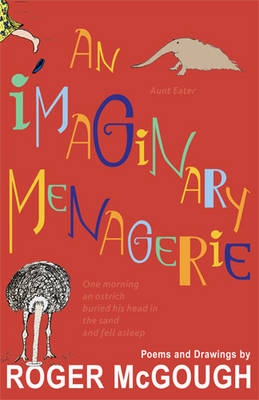
Poetry by Roger McGough


The Sound Collector by Roger McGough

The Listeners by Walter De La Mare

I know an Old Lady Who Swallowed a Fly

Goodnight Moon by Mary Wise Brown


The Very Hungry Caterpillar by Eric Carle
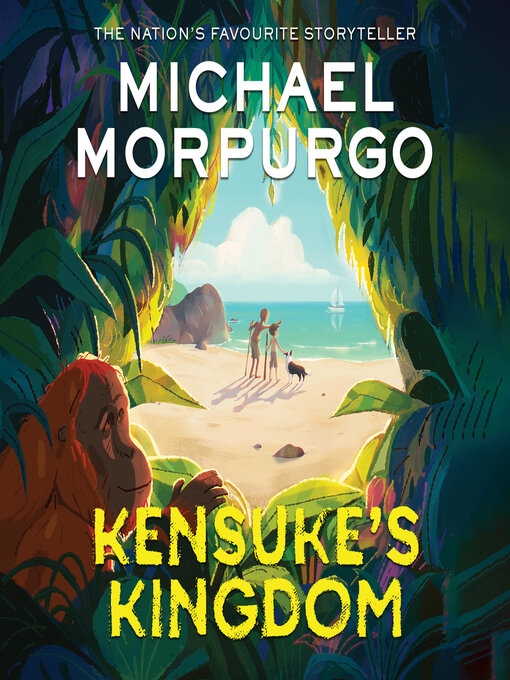
Kensuke's Kingdom by Michael Morporgo


The Rainbow Fish by Marcus Pfister


The Mixed up Chameleon by Eric Carle


Oh Fabjous Day Collected by Sandy Brownjohn


Flat Stanley by Jeff Brown


The Guard Dog by Dick King Smith
The Hodgeheg by Dick King Smith


The Rattle Bag edited by SeamusHeaney and Ted Hughes

The Snowman by Raymond Briggs

Where's Wally? (various) 

Magazines and Comics - as many as possible in as many places as possible

Charlotte's Web by EB White

Percy the Park Keeper by Nick Butterworth

The Iron Man by Ted Hughes

Traditional Tales including: Goldilocks and the Three Bears, The Three Billy Goats Gruff, Little Red Riding Hood, The Gingerbread Man,Cinderella, The Ugly Duckling - These need to be revisited many times so that children internalise their structures and devices. For six to eight year old children use with alternative versions such as Goldilocks and the Three Dinosaurs or Goldilocks by Allen Ahlberg.

Myths and Legends including: Theseus and the Minotaur, Daedalus and Icarus,


The Curious Incident of the Dog in the Nighttime by Mark Haddon
Anything by Michael Rosen
Treasure Island by Robert Lewis Stevenson

Silly Verse for Kids by Spike Milligan


Five Children and It by E Nesbit
Captain Underpants by Dav Pilkey

Lots by Julia Donaldson like The Gruffalo and The Snail and The Whale.

Holes, There's a Boy in the Girl's Bathroom by Louis Sachar

The Secret Garden by Frances Hodgson Burnett


 This is far from a comprehensive list and I have realised that it will need to be developed and refined over time. These texts should be incorporated through a number of platforms within the school including:
  • class reader
  • guided reader
  • shared reader
  • class library
  • school library
  • recommendations list
  • holiday reading list
  • extended reading list
  • home reader

Friday, August 31, 2012

Staying Safe in ICT (ICT New Curriculum - First Unit)

There are two main disciplines of school based ICT:
  1. Technology as a tool for enhancing education
  2. Computer Science
Our school is moving away from ICT as a completely discrete subject with a computer science bias to focus more on the sue of ICT as tool for enhancing teaching and learning. The two disciplines will always overlap as in the first unit of learning of the year which always needs to be Health and Safety in ICT.

Here are my Programs of Work for Year 5 and Year 6


The MTP is a simpler format than previous years planning as we plan cross curricular themes. It is designed to be able to be integrated into cross curricular planning.

Monday, August 27, 2012

A Beginner's Guide to Twitter for Teachers

Social Media as a Learning Tool

This is rapidly becoming the number one essential tool in learning and development in education. Its main features are:
·         Top innovative leaders in the field of education use it
·         It organises the internet and blog-a-sphere into accessible and manageable chunks
·         It gives access to the latest developments in educational thinking
·         It gives you a voice
·         It communicates with your community

A beginner’s guide

Follow these simple steps to become a tweep and start tweeting

Sign up

Twitter.com gives you a very simple sign up page. The important aspect of this is the username. This guide is about using twitter for professional purposes. To do this separate your professional twitter persona from your private and social life twitter persona. i.e. have two accounts.

Let’s explore the webpage you are faced with.


Search bar – the most useful of the tools at your fingertips. Use it to search for people, hashtags or educational words.
@connect – any time there is anything to do with you posted by other people e.g. mentions or follows
#Discover – trends, current goings on, who to follow
Tweets – number of messages you have sent out
Following – the number of people you follow
Followers – the number of people following you (quite unimportant)

Let’s follow someone

Search for mcdermottrich. (type it in the search bar)
Next to the name you will find the follow button. Once you press this you are following this person. If you later decide that you don’t want to follow this person, you can click unfollow. Once you are following them, their tweets will appear on your homepage.

Find more people to follow.
On mcdermottrich’s profile you will see the word following. Click this now and it will give you a list of the people he is following. It is a list of tweeps who make educational tweets. Choose at least five of these and click follow. You will now be following about six people. You will find that your home page is starting to fill up with tweets.

But this aint useful!

You will find that good educational tweeps tweet about excellent blog articles and reference resources. By clicking on the links supplied you will soon find many useful things. Build up the number of people you follow (and the amount of tweets that you see) by clicking on the following of the people you already follow.

Hashtags

These are used to organise tweets so they go to particular audiences. A hashtag is a hash followed by a label. Often it is a brief acronym rather than a full word. Let’s look at a hashtag to get us started.

Type #edchat in the search bar.

This hashtag is commenly added to educational tweets therefore it organises a selection of educational tweets. #ukedchat is the UK based hashtag in a similar vein.

Taking things further

Downloading Tweetdeck or adding it onto your Google Chrome browser will bring Twitter further to life as you can add several streams such as particular people you follow or even better – the best hashtags or searches.

Start retweeting the tweets you see that are the best.

When you find a really useful website, tweet about it.

Start a blog. Write about your everyday experiences in the classroom. Tweet your posts.

Friday, July 6, 2012

Primary/Elementary Poetry and ICT = Creativity and Collaboration

Try using this poem in class. First as a paired discussion activity then moving on to creating an illustrated video with children reading the poem. See ideas at the bottom.

Miss Lotte

That Miss Lotte who was nuts;
I mean completely round the bend.
She’d wear socks on her hands
And wave them at her friends.
She’d put her dress on backwards
And odd shoes on each foot.
It was definitely more than loose,
A screw was missing from her nut.

That Miss Lotte who was loopy;
I mean completely round the twist.
She said she new double dutch
And could converse with the fish.
She ate her dinner in the bath
And drank the water from the loo.
While all around her said, she was
Completely crackers and cuckoo.

That Miss Lotte who was balmy;
I mean gaga, crazy and mad.
Told the children they could riot
In the lessons that they had.
Said they should dance on the table,
Shout out and have a laugh.
But they stood open mouthed and knowing
She was noodle brained and daft.

That Miss Lotte who is bog-eyed
Is jam-headed and mungo-jerried,
Over the rainbow, out of her mind,
Tap-doo-lally and wholly wellied.
She is actually very kind.
Although not her only feature:
That Miss Lotte who is bananas,
Is the world’s greatest teacher.


Ideas for Teaching 
  1. Identify the words that rhyme. use them to look at phonemes with the same sounds but different spellings e.g. foot and nut
  2. Draw a picture for each verse (have children work in pairs or threes to do this.)
  3. ICT Idea - Have the children illustrate parts of the poem using a simple art program. Something as easy as Paint will do this. (Tip - get the children to draw with a thick paint brush and block colour the picture for a comic strip effect) I like pixlr.com which is a photo editor.
  4. ICT idea 2 - Let the children record themselves reading/speaking the poem (use simple sound recorder on PC or audioboo or something similar)
  5. ICT idea 3 - combine the above ideas - use Windows Movie-Maker or another free alternative. My choice would be Videopad . Please not that with Video pad - you install it first and then uninstall it to revert from pro to the free version. (Further alternatives here.) Add the sound recording of the reading and the pictures that illustrate the poem. Give it a title and credits and publish to the web.
  6.  Make a list of the words for mad/crazy from the poem.
  7. Make up your own words for crazy. Try finishing these phrases. (if you get stuck add food types in the spaces)
  • Mad as a ...
  • ... - headed
  • ... - brained 
      8.  Write their own own crazy teacher/child poem using the following structure

           Write two lines using made up words for crazy (two made up words per line for the better students)
          Write four lines of crazy things they do
          Write two lines using made up words for crazy

Friday, April 27, 2012

Formative Assessment in ICT Part 2 (3 Phase Rubric Use)

This post builds upon the previous post: Formative Assessment in ICT. Following the implementation of a new framework in the top two years of the primary school, and training based around building websites, webpages and using and making a blog, I knew that I needed to introduce Formative Assessment to bring the whole thing to life. This became especially important as the ICT suites in the school were set up in rows and therefore the environment imposes very traditional (read here old fashioned) methods of delivery onto the teacher. The other relevant item is that my other duties including managing the end of year reports system and setting up the timetables for the following year started to dominate my timetable.

With full timetables and training calendar, I decided upon a couple of shorter sessions in the mornings before school starts. With our early morning starts (the school day starts at 7) and teacher’s multiple commitments after school that mean that that time is taken up, the morning briefing session are the only spaces we can find. I used one twenty minute session to refresh the basics of building a webpage with a layout that fits the non-fiction genres of the two year groups (non-chronological reports in Y6 and newspapers in Y5). For the second session I focused on Formative Assessment. In particular the use of rubrics to structure a number of sessions focused upon building a webpage.

To support the planning I had created two rubrics for a building a webpage which combined success criteria from both the English framework and the  new ICT framework. In my introduction I made the point that rubrics are a tool that can be used at different stages of the learning process. The building of a webpage is a cross-curricular mini-project. It may take anything from two lessons to a couple of weeks to complete. It can be used in the introduction to the work, in the middle to assess progress and set next step targets and then, finally, as a summative evaluation tool. I have worked with the rubrics in all three ways.

How the rubrics are used is as important as when they are used. Let’s take the example of their use in the introduction. The classic method would be to display a rubric on the interactive whiteboard for all to share. Then the teacher could read through each part and explain its meaning and importance. This could work but not necessarily engage all the children in the room. Year six is particularly hard to reach at times; between the bubbling of emotions because of puberty, the clicks of special bonds of friends in the room and the minds turned towards the thoughts of going to the high school. How to engage? The answer is in group work; Vygotsky highlighted the important part socialisation plays in the construction of learning. Getting the children into groups and discussing the rubric, with a scaffold for the talk, will create better engagement. The children should be in groups of three or four. Ask the children to identify the criteria that they all know how to do. Further ask them to circle three to four things that they don’t know how to do. (It doesn’t matter that they might know it all; by asking for three to four things it removes worry from children who are further behind).  This sharing with a focus of what to look for will engage children within each group and across the classroom. It can be followed up by a brief feedback session and revision of the parts the children don’t know how to do.

Group work was discussed in this post here. Giving the children roles also facilitates better group work.  An appointed leader, a reporter and a reader would be good roles for the above.

Using the rubric in the middle part of the project enables the children to self-evaluate their own progress. I keep the structure simple: Give out one rubric per group and the children then visit each website and judge what has been achieved and what that student’s next target is. Again I like the group to record the targets in the footer of the rubric. This gives the necessary scaffolding to the exercise so it is completed correctly.

The rubric can be used successfully at the end as a final summative assessment tool. This is particularly powerful in the hands of the children as it empowers them with the understanding of what excellent practice in the particular project area is and leaves each with a target. I found through trial and error that the method of use has to be slightly different in the final phase of assessment. Children can be trusted to make judgements about their peers standard of work, particularly if you are using a rubric with different standards. Children are not able to distinguish between their close friends and the quality of their work so a more impartial system has to be set up. Over the course of one hour I asked the children to open up the website on each computer. I also placed one rubric in front of each computer and a further piece of paper to record the level. I then stood all the children up and rotated them one row (approximately four seats) around the suite. The children then sat down and judged the website against the rubric. Each child would use a pencil and mark the rubric to make a judgement about the overall best fit. Approximately seven minutes later I asked the children to record a level on the piece of paper and then to stand up. And then a second time I rotated the children around the room and the children repeated the exercise. Over the course of one hour I did this four times. For the plenary session the children returned to their own seat. Each child inspected the pare with the four levels recorded and considered whether the judgements of the common majority were a fair reflection of their website. Children then wrote their name on the paper (not before as this could have prejudiced judgements) and then lined up to hand it in to me. Children then commented to me whether they were happy with the evaluation/agreed with its decision or didn’t agree. The two comments formed two different piles. I would commit myself to speak specifically to anybody who hadn’t been happy with the decisions when I reviewed all the assessments.

As I went through the assessments for the two hundred and fifty children in year five and six, I found that there were less than 5% that were incorrect. The majority of the children agreed with each other and the overall common assessment was correct.